
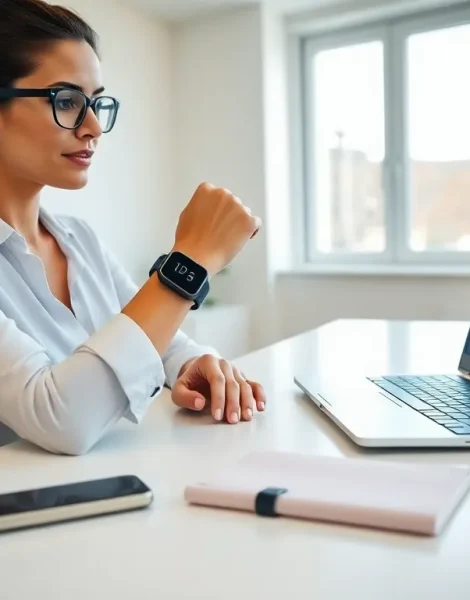
Wearables tips can transform how people use smartwatches, fitness trackers, and other connected devices. These gadgets offer impressive features, but most users only scratch the surface of what’s possible. A recent study found that 60% of wearable owners don’t use half the features available on their devices.
This guide covers practical wearables tips that help users maximize their investment. From choosing the right device to maintaining it properly, each section delivers actionable advice. Whether someone just bought their first fitness tracker or wants to squeeze more value from an existing smartwatch, these strategies make a real difference.
Table of Contents
ToggleKey Takeaways
- Choose a wearable that matches your lifestyle—consider your primary use case, smartphone compatibility, and battery life needs before purchasing.
- Extend battery life by lowering screen brightness, disabling always-on displays, and turning off GPS or continuous heart rate monitoring when not needed.
- Customize notifications to receive only essential alerts and set up quiet hours to prevent wearable fatigue and constant interruptions.
- Wear your fitness tracker snugly about one finger width above the wrist bone for accurate heart rate and step tracking data.
- Clean your wearable weekly with a damp, lint-free cloth and wash bands separately to prevent skin irritation and maintain sensor accuracy.
- Track health data consistently—daily wear reveals meaningful trends that sporadic tracking misses.
Choose the Right Wearable for Your Lifestyle
The best wearables tips start before purchase. Picking the wrong device leads to frustration and wasted money. Users should consider their primary goals before shopping.
Fitness enthusiasts need different features than business professionals. A runner might prioritize GPS accuracy and heart rate monitoring. An office worker may value calendar integration and notification management instead.
Here’s what to evaluate:
- Primary use case: Fitness tracking, productivity, health monitoring, or a mix
- Smartphone compatibility: Some wearables work better with iOS or Android
- Battery life requirements: Daily charging vs. weekly charging
- Size and comfort: Larger screens offer more information but feel bulkier
- Budget: Premium devices cost more but often include advanced sensors
Users should also check app ecosystems. A wearable is only as useful as its software support. Popular platforms like Wear OS, watchOS, and Fitbit OS each have strengths. Reading user reviews about real-world performance helps avoid buyer’s remorse.
One overlooked factor is upgrade cycles. Tech companies release new models yearly. Buying a device near the end of its cycle often means missing important features. Checking release schedules can save money and ensure users get current technology.
Optimize Battery Life and Performance
Battery anxiety ruins the wearable experience. Nobody wants their smartwatch dying at 3 PM. These wearables tips help extend battery life without sacrificing functionality.
Screen brightness drains batteries faster than almost anything else. Lowering brightness to 50-60% saves significant power while remaining readable. Users can also enable auto-brightness, which adjusts based on ambient light.
Always-on displays look great but consume extra energy. Turning this feature off can add hours, sometimes a full day, to battery life. The trade-off? Users must raise their wrist or tap the screen to check the time.
Other battery-saving strategies include:
- Disable GPS when not exercising outdoors
- Turn off continuous heart rate monitoring if not needed
- Reduce notification frequency from apps
- Use simpler watch faces without animations
- Enable power-saving mode during sleep
Software updates matter too. Manufacturers often release updates that improve battery efficiency. Keeping firmware current ensures the device runs optimally.
For fitness trackers specifically, users should sync data less frequently. Real-time syncing requires constant Bluetooth connection, which drains both the wearable and smartphone batteries. Syncing once or twice daily works fine for most people.
Customize Notifications and Settings
Notification overload makes wearables annoying instead of helpful. Smart customization turns constant buzzing into useful alerts. This ranks among the most important wearables tips for daily satisfaction.
Users should audit which apps send notifications to their wearable. Does anyone really need TikTok alerts on their wrist? Probably not. Essential notifications might include calls, texts, calendar reminders, and select work apps.
Most wearables let users set quiet hours or do-not-disturb schedules. Enabling these during sleep, meetings, or focused work time prevents unnecessary interruptions. Some devices even detect sleep automatically and mute alerts.
Customizing vibration patterns helps users identify notification types without looking. A gentle pulse for emails, a stronger buzz for phone calls, these small tweaks improve the experience significantly.
Quick replies deserve attention too. Pre-written responses save time when users can’t pull out their phones. Setting up contextual replies like “In a meeting,” “On my way,” or “Can I call you back?” makes responding effortless.
Watch face selection affects daily usability. Users should choose faces that display their most-needed information at a glance. Complications, small widgets on the watch face, can show weather, step count, upcoming appointments, or battery level. Picking the right layout reduces how often users dig through menus.
Track Your Health and Fitness Effectively
Health tracking represents the core value proposition for many wearables. These wearables tips help users gather accurate data and actually use it for improvement.
Wearing the device correctly matters more than people realize. Fitness trackers should sit snugly, but not too tight, about one finger width above the wrist bone. Loose placement causes inaccurate heart rate readings and missed step counts.
Users should enter accurate personal data into their wearable’s companion app. Height, weight, age, and gender affect calorie calculations and workout metrics. Wrong information produces misleading results.
Consistency beats perfection. Wearing the device daily, even on rest days, builds a complete picture of health trends. Sporadic tracking makes it hard to spot patterns or measure progress over time.
Here’s how to maximize fitness tracking:
- Log workouts manually when automatic detection fails
- Review weekly and monthly trends, not just daily numbers
- Set realistic goals based on current fitness levels
- Use sleep tracking to identify rest quality issues
- Share data with healthcare providers when relevant
Heart rate variability (HRV) and stress metrics offer valuable insights many users ignore. These measurements indicate recovery status and overall wellness. Learning to interpret them helps users make smarter decisions about training intensity and rest.
Keep Your Wearable Clean and Maintained
Wearables sit against skin all day, collecting sweat, dirt, and oils. Regular cleaning extends device life and prevents skin irritation. These maintenance-focused wearables tips protect the investment.
Users should clean their wearable weekly at minimum. A soft, lint-free cloth dampened with fresh water works for most devices. Avoid harsh chemicals, soaps, and abrasive materials that can damage screens or sensors.
Band hygiene often gets overlooked. Silicone and rubber bands trap moisture and bacteria. Removing the band and washing it separately keeps things fresh. Leather bands require special care, wiping with a dry cloth and occasional conditioning.
Sensor accuracy depends on cleanliness. Heart rate sensors on the device back can accumulate gunk that interferes with readings. A gentle wipe before workouts improves data accuracy.
Water resistance doesn’t mean waterproof forever. Seals degrade over time, especially with exposure to chlorine, salt water, or hot tubs. Rinsing with fresh water after swimming helps preserve water resistance.
Storage matters when users remove their wearables. Keeping devices in cool, dry places away from direct sunlight prevents battery degradation and screen damage. Charging to about 50% before long-term storage maintains battery health.
Screen protectors and cases add protection for accident-prone users. Modern wearables feature durable glass, but scratches still happen. A simple film protector costs little and prevents permanent damage.


