
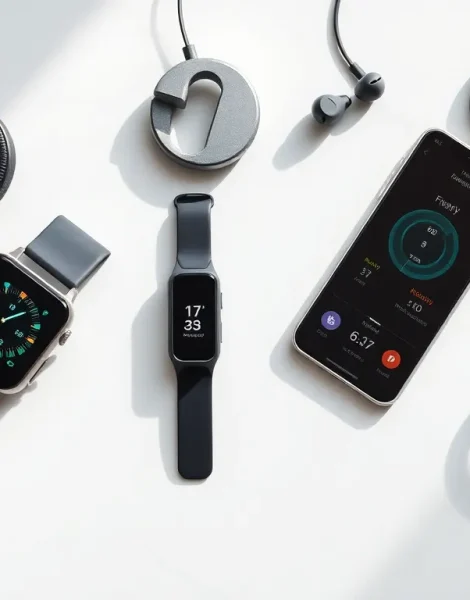
Learning how to use wearables doesn’t have to feel overwhelming. These small, powerful devices have changed how people track fitness, monitor health, and stay connected throughout the day. Whether someone just bought their first smartwatch or received a fitness tracker as a gift, this guide covers everything they need to know.
Wearables include smartwatches, fitness bands, smart rings, and even smart glasses. Each device offers unique features, but they all share one goal: making daily life easier and more informed. This beginner’s guide walks through what wearables are, how to choose the right one, how to set it up, and how to maximize its benefits.
Table of Contents
ToggleKey Takeaways
- Learning how to use wearables starts with understanding the sensors they contain, such as heart rate monitors, accelerometers, and GPS chips.
- Choose a wearable based on your goals—fitness trackers for activity monitoring, smartwatches for comprehensive features, or specialty devices for specific needs.
- Setting up your wearable takes 15-30 minutes and includes charging, downloading the companion app, pairing via Bluetooth, and entering personal data for accurate metrics.
- Wear your device consistently and snugly above the wrist bone to ensure accurate heart rate and activity tracking.
- Use the companion app to review weekly trends, enable health alerts like fall detection, and keep your software updated for new features.
- Experiment with third-party apps and customize settings to make your wearable work for your personal lifestyle and needs.
What Are Wearables and How Do They Work?
Wearables are electronic devices worn on the body. They collect data, display information, and connect to smartphones or computers. The most common types include smartwatches, fitness trackers, and smart rings.
These devices use sensors to gather information. A heart rate monitor tracks pulse through light sensors on the skin. An accelerometer detects movement and counts steps. GPS chips record location during outdoor activities. All this data syncs to companion apps on phones or tablets.
Most wearables connect through Bluetooth technology. They pair with a smartphone and send data back and forth. Some devices also connect to Wi-Fi networks for software updates and cloud syncing. This connection allows users to receive notifications, calls, and messages directly on their wrist.
The technology inside wearables continues to improve each year. Modern devices can track sleep patterns, measure blood oxygen levels, detect irregular heart rhythms, and even take ECG readings. Understanding how to use wearables starts with knowing what sensors exist and what data they provide.
Battery life varies by device and usage. Basic fitness trackers can last two weeks on a single charge. Feature-rich smartwatches typically need charging every one to three days. Users should consider this when deciding which device fits their lifestyle.
Choosing the Right Wearable Device for Your Needs
Selecting a wearable depends on personal goals and daily habits. Someone focused on fitness might prefer a dedicated activity tracker. A person wanting smartphone features on their wrist would benefit from a full smartwatch.
Fitness Trackers
Fitness trackers excel at monitoring physical activity. They count steps, track workouts, and measure calories burned. Popular options include Fitbit Charge, Garmin Vivosmart, and Xiaomi Mi Band. These devices typically cost less than smartwatches and offer longer battery life.
Smartwatches
Smartwatches provide comprehensive features beyond fitness tracking. Apple Watch, Samsung Galaxy Watch, and Google Pixel Watch lead this category. Users can make calls, respond to texts, stream music, and install apps. These devices suit people who want a mini-computer on their wrist.
Specialty Wearables
Some wearables serve specific purposes. Oura Ring focuses on sleep and recovery tracking. Whoop bands target serious athletes with detailed performance metrics. Garmin makes GPS watches designed for runners, cyclists, and swimmers.
When choosing how to use wearables effectively, compatibility matters. Apple Watch only works with iPhones. Most Android watches work with any Android phone. Check device requirements before purchasing to avoid frustration.
Price ranges from under $50 for basic trackers to over $500 for premium smartwatches. Setting a budget helps narrow options quickly.
Setting Up Your Wearable Device
Setting up a wearable takes about 15-30 minutes. The process follows similar steps across most devices.
First, charge the device fully. Most wearables ship with partial battery. A full charge ensures the setup process completes without interruption.
Next, download the companion app. Apple Watch uses the Watch app built into iOS. Fitbit devices need the Fitbit app. Samsung watches require Galaxy Wearable. Find the correct app in the App Store or Google Play.
Open the app and create an account if needed. The app guides users through pairing the wearable via Bluetooth. Keep the phone and device close together during this step.
Enter personal information when prompted. Height, weight, age, and gender help the device calculate accurate metrics like calories burned and stride length. This data stays private and improves tracking accuracy.
Customize notifications next. Users can choose which apps send alerts to their wearable. Too many notifications become distracting. Start with essentials like calls, texts, and calendar reminders.
Adjust the watch face or display to personal preference. Most devices offer dozens of options. Some show detailed fitness data. Others display a clean, minimal clock. Finding a comfortable look makes wearing the device more enjoyable.
Finally, wear the device correctly. Fitness trackers work best worn snugly above the wrist bone. Too loose means inaccurate heart rate readings. Too tight causes discomfort. The sensor should touch skin without leaving marks.
Getting the Most Out of Your Wearable Technology
Owning a wearable is one thing. Using it effectively is another. These tips help users maximize their investment.
Track Consistently
Wear the device daily for accurate data. Gaps in tracking make trends harder to spot. Consistent use reveals patterns in sleep, activity, and overall health.
Set Realistic Goals
Start with achievable targets. Most devices default to 10,000 steps daily. But someone currently averaging 3,000 steps should aim for 5,000 first. Small wins build motivation.
Use the Companion App
The app provides deeper insights than the device screen. Review weekly and monthly summaries. Check sleep quality scores. Compare workout performance over time. The real value of wearables lives in the data trends.
Enable Health Features
Many users skip advanced features during setup. Heart rate alerts can detect unusually high or low readings. Fall detection on Apple Watch and some Garmin models can call emergency services automatically. These features save lives.
Keep Software Updated
Manufacturers release updates that fix bugs and add features. Enable automatic updates or check regularly. New capabilities often arrive without buying new hardware.
Explore Third-Party Apps
Smartwatches support additional apps beyond the basics. Meditation apps like Calm work on wearables. Music services like Spotify stream directly to some devices. Exploring these options expands what the wearable can do.
Learning how to use wearables effectively takes time. Experiment with different features. Adjust settings based on what works. The goal is making the technology serve personal needs, not the other way around.


